
For ordering all of this you’ll want to go to: http://www.pcbway.com (sponsor)
You can get an RGB20SX here: https://bit.ly/20sxAdin (affiliate)
Please watch the video for a detailed install guide and info about the project. This blog post is mostly to show you the specs of the PCBway order.
Costs
The Powkiddy RGB20SX will set you back anything from $69 – 89 USD
The PCBway print can be from $35 – $217 USD
So your totals will range from: $104 – $306 (excluding shipping)
So the cheapest option is less than a Retroid Pocket Classic but the expensive option is more that an Analogue Pocket! But you’re getting a community generated project with your own colours, which for many people is worth more than $300.
My project specs and cost $216
Here are the specs for this build:
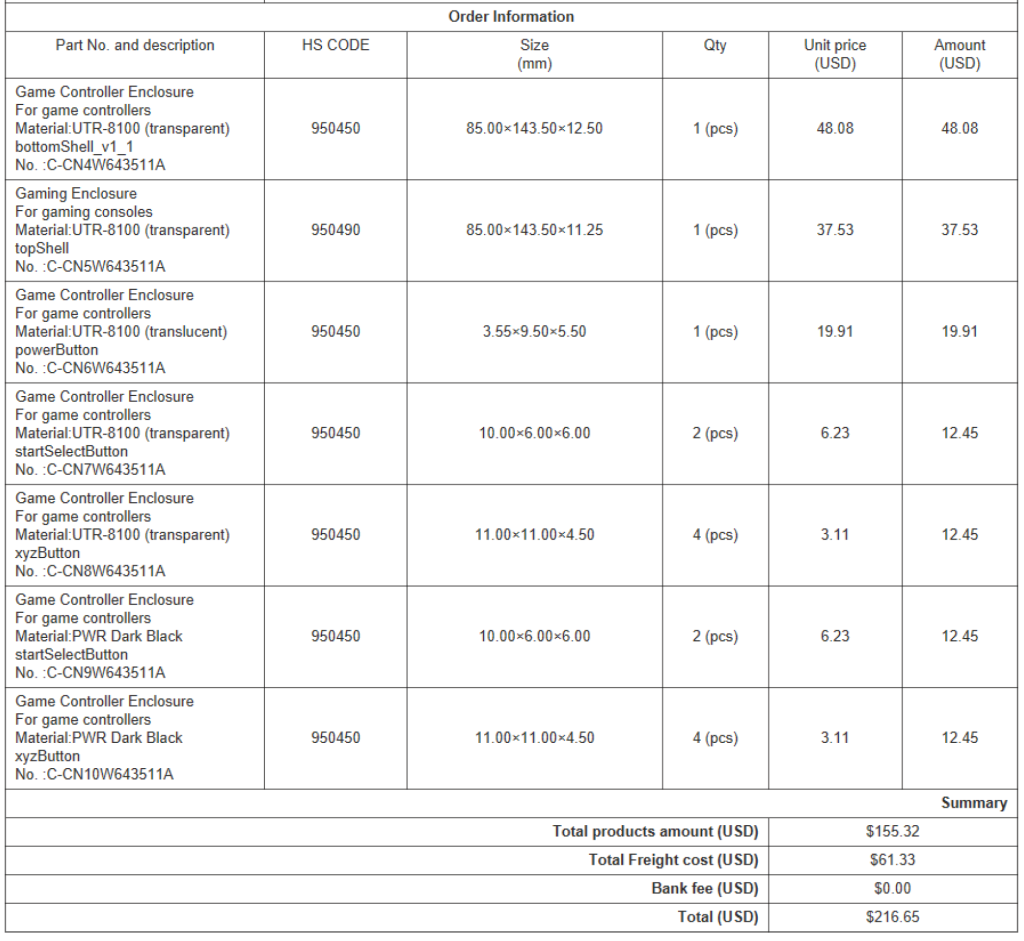
Reviewing my order from PCBway
This chart, above is my invoice from the PCBway website. As you can see this worked out to be quite a pricey endeavour. And that’s thanks to the dyeing process of the transparent plastic.
What to do differently:
- Look at cheaper options (see below)
- Use a different black plastic for the action buttons (mine had a stipple that caused friction)
Things that worked out well:
- Although expensive, the coloured transparent shell looks fantastic and you have lots of colours to choose from
- The transparent plastic works very well for buttons
Cheaper alternative $35 (example order)
Here’s an all-white order I set up on the PCBway ordering system that I think should work well. I have not placed this order myself, however, this is the same plastic I used for my previous mod and it works well.
Andrea (the designer) used Resin UTR Imagine Black for his black shell. Which ended up looking like this:
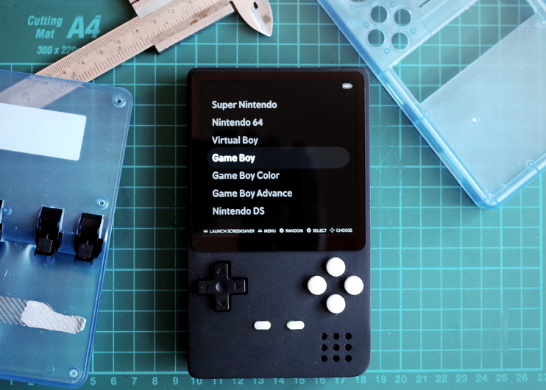
Get the project files: I encourage you to download Andrea’s files here and mess around on the PCBway ordering system to see what’s available.
Software
I went with ArkOS simply because I knew I could reliably and easily create a single SD card installation with it.
ArkOS is here: Home · christianhaitian/arkos Wiki
Installation is very simple. Just download the file and flash it to a blank SD card using rufus.
MinUArk theme: Releases · Vidnez/es-theme-MinUArk
Download the latest release:

Unzip the folder and drag it to EASYROMS/themes on your ArkOS Sd card
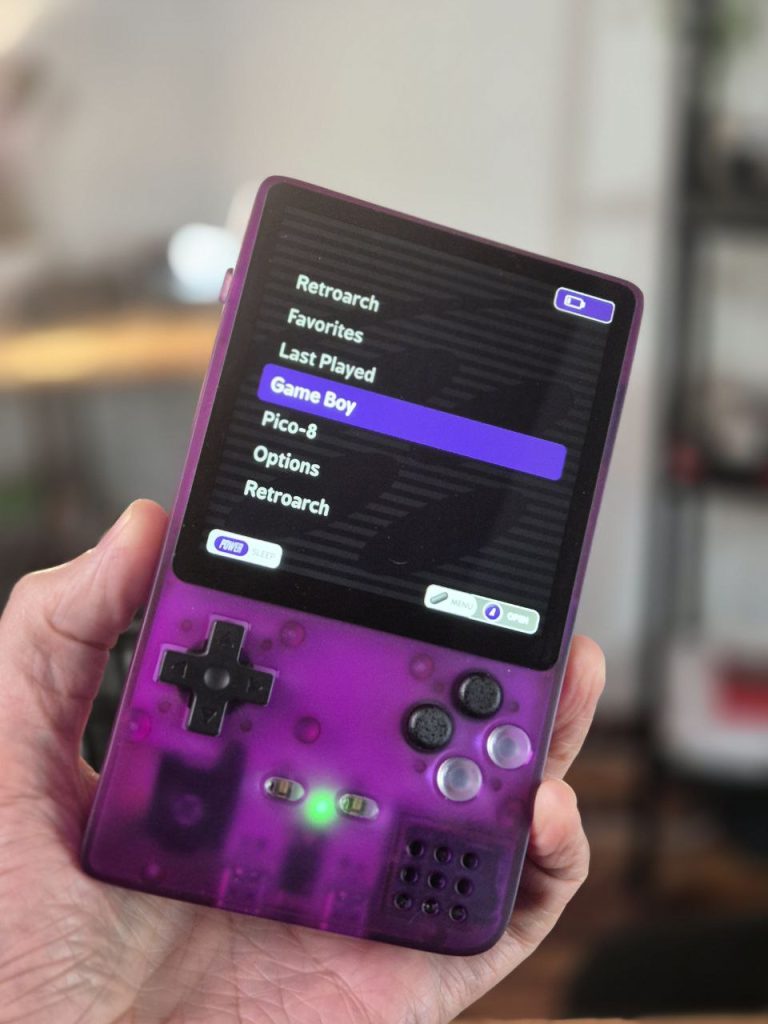
This will get you a nice minimalist theme like this (the SNES theme looks SO good with my purple shell!):
Share your projects!
Please share your mods in the comments on Andrea’s page on PCBway: RGB20SX Pocket – Share Project – PCBWay